

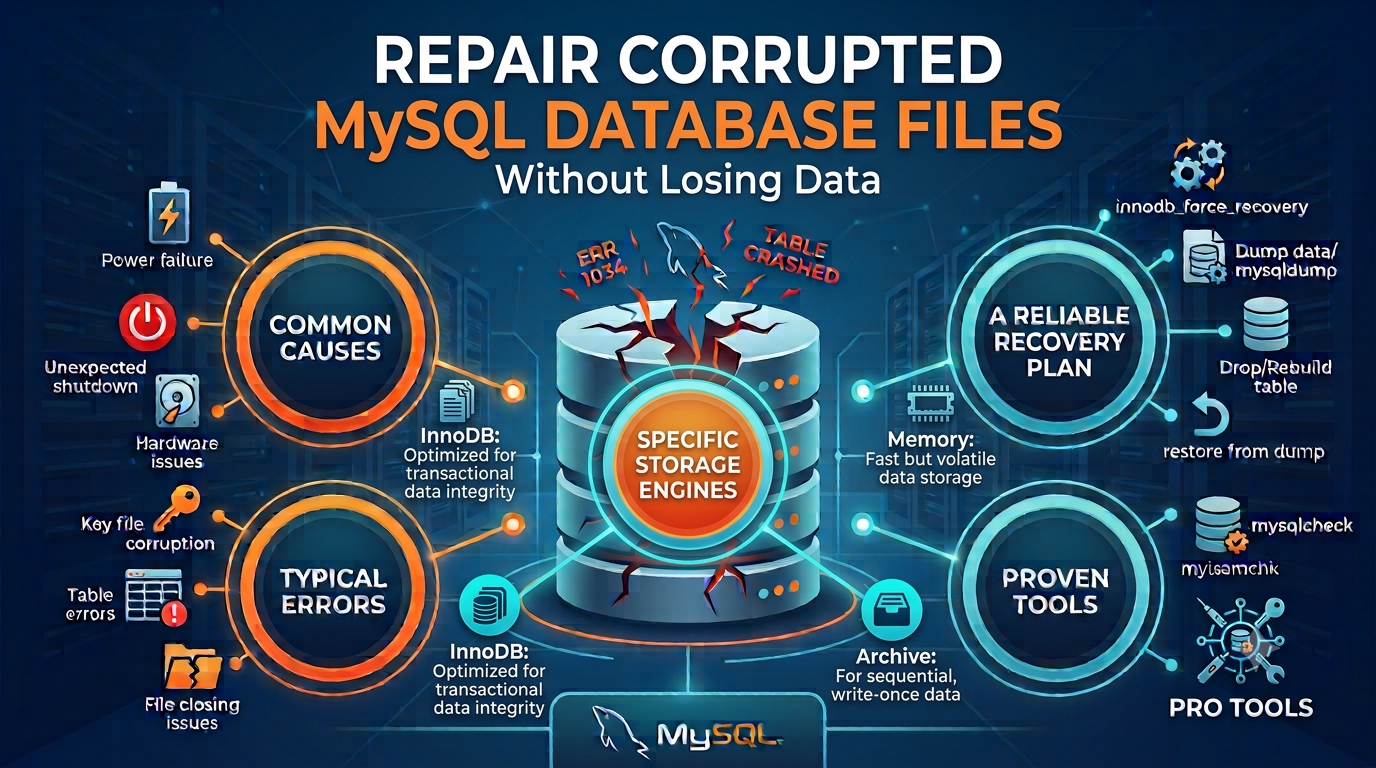

Every website, online store, and business application that stores information depends on a database. When MySQL files become damaged, the effects show up quickly: pages fail to load, queries return errors, and records that were available yesterday seem to vanish. The encouraging part is that damaged files often still contain recoverable information. This article explains what goes wrong, how to spot it, and how to bring your data back with minimal risk.
Aryson MySQL Database Repair Tool
What Makes a MySQL Database Break?
Damage to database files is rarely random. It usually follows one of these events:
- Interrupted writes. If electricity is lost or the machine is forcibly restarted while MySQL is saving data, tables can end up partly written.
- Failing hardware. Bad sectors, aging disks, and faulty controllers quietly corrupt files over time.
- Crashes during transactions. When the MySQL service stops unexpectedly, index and tablespace files may fall out of sync with the data.
- Upgrade and migration problems. Moving files between servers or versions can leave table definitions that no longer match the stored data.
- Human mistakes and malware. Deleting, renaming, or editing files such as
.frm,.myd,.myi, or.ibdby hand can make a table impossible to open.
Reading the Error Messages
MySQL usually tells you what is wrong, if you know how to read it:
| Error Code | Meaning |
|---|---|
| 1033 | The file contains incorrect information, often from a damaged structure or engine issue |
| 1016 | The file cannot be opened because it is missing or damaged |
| 1194 | The table is flagged as crashed, common with MyISAM |
| 1146 | The table cannot be found, frequently due to a missing .frm file |
| 145 | The table was closed abnormally after a crash or forced shutdown |
| 126 | The .MYI index file is faulty |
| 1412 | The table definition does not match the data files |
| 2013 | The connection to the server dropped during a query |
Messages about corrupted pages or tablespaces point to physical damage inside InnoDB storage.
Protect Your Data Before Fixing Anything
A careless repair attempt can make things worse. Start with these precautions:
- Halt all writes to the affected database.
- Copy the raw files (
.frm,.myd,.myi,.ibd, andibdata) to a separate, safe location. - Look for a backup. A recent, verified backup is usually the quickest solution.
- Try
mysqlcheckormyisamchk. These built-in utilities handle minor problems well.
The limitation is that command-line repairs can fail on heavy damage, and some repair modes discard rows they cannot restore. When that happens, a specialized utility becomes the practical choice.
Using the Aryson MySQL Database Repair Tool
The Aryson MySQL Database Repair Tool is a Windows program built to scan damaged MySQL files and rebuild their contents. It works on the files directly, so your original structure is left untouched.
What sets it apart:
- Supports both engines. It can process InnoDB and MyISAM files, including
.frm,.myd,.myi,.ibd, andibdata. - Restores the whole structure. Tables, primary and foreign keys, indexes, data types, table properties, triggers, and views are all brought back.
- Shows a preview first. A built-in panel lists tables, fields, and entries so you can confirm the results before saving.
- Offers two save options. Export as an SQL script, or restore straight into a live MySQL server after testing the connection.
- Keeps activity logs. You can track progress and pause or resume the process.
- Works offline. Nothing has to be uploaded, so sensitive data stays on your computer.
- Easy to operate. The graphical interface guides both beginners and database administrators.
Four Steps to Recover Your Data
Step 1: Install. Download the tool and install it on a Windows PC. On Windows 7 and later, launch it as administrator.
Step 2: Load files. Press the Open button and pick the corrupted .frm, .myd, .myi, or .ibd files.
Step 3: Review. After scanning, the recoverable tables, views, and triggers appear in the preview panel. Check that the content looks correct.
Step 4: Save. Choose Save as MySQL Data, then export to an SQL script or enter the server name, port, username, and password to restore directly to a running server.
Keep in mind that the free trial only scans and previews. Saving recovered data requires the licensed edition.
When a Dedicated Tool Is the Right Call
Consider this approach if:
mysqlcheckormyisamchkfailed to repair your tables- MySQL cannot open the database at all
- You need to view data from an inaccessible database
- Files moved between Windows and Linux systems now show structure errors
- You want keys, relationships, and schema preserved, not just raw rows
System Requirements at a Glance
The software supports Windows 11, 10, 8.1, 8, 7, and Server 2008 and 2012, in both 32-bit and 64-bit versions. It needs roughly 500 MB of free disk space and 4 GB of RAM. The vendor lists MySQL 5.5.27 to 5.7.36 along with MariaDB in its requirements, though another section mentions 5.5 to 8.4. Verify your exact version with the vendor before purchasing.
Habits That Prevent Corruption
- Schedule automatic backups and test that they restore properly
- Connect servers to a UPS
- Shut MySQL down cleanly before maintenance
- Watch disk health and replace old drives early
- Try upgrades on a staging server first
- Limit who can access the data directory
Conclusion
A corrupted MySQL database is stressful, but it does not have to mean permanent loss. Stop writing to the database, back up the raw files, try the built-in repair commands, and move to a dedicated tool if those fall short. Because the Aryson MySQL Database Repair Tool lets you preview recovered data before you pay, you can see for yourself whether your database can be saved.

