

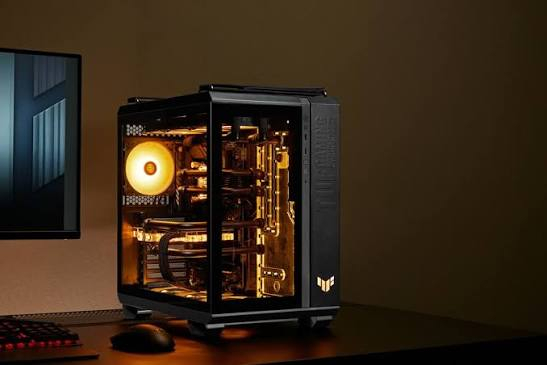

Professional workloads demand more than a fast computer. They require consistent performance, dependable hardware, and enough flexibility to handle demanding applications without slowing down daily operations. Choosing the right workstation can improve productivity and reduce frustrating delays. Understanding your software requirements and hardware options helps you make a practical investment that supports your work today and in the years ahead.
Understand Your Workload
Before comparing processors or workstation configurations, identify the applications you use most frequently. Surveying, 3D modeling, point cloud processing, engineering design, and visualization place different demands on computer hardware. For example, a Leica Infinity AMD Ryzen workstation may suit professionals who need responsive processing for surveying data, coordinate calculations, and detailed project analysis.
Consider how your workload changes throughout the day. Opening files, processing large datasets, exporting deliverables, and running several applications simultaneously can create different performance requirements. A workstation that handles everyday tasks comfortably may struggle with complex projects, so evaluate your busiest working conditions rather than choosing hardware based on basic office requirements.
Evaluate Processor Performance
The processor plays a central role in workstation performance, but selecting the most expensive option is not always necessary. AMD Ryzen processors offer different core counts, clock speeds, and performance levels. The right choice depends on whether your software benefits more from strong single-core performance, multiple processing cores, or a balanced combination of both.
Review the recommended hardware specifications for your essential applications before making a decision. Software that performs calculations across multiple threads may benefit from additional cores, while certain interactive tasks depend heavily on individual core speed. A well-matched processor can deliver responsive operation without consuming your entire budget on performance your workflow rarely uses.
Prioritize Memory Capacity
Random access memory, commonly called RAM, affects how comfortably a workstation handles large projects and multiple applications. Insufficient memory can cause slowdowns when working with extensive survey records, detailed models, or large point clouds. Although processor performance matters, limited RAM can prevent a powerful workstation from delivering its full potential.
Consider these practical guidelines when selecting memory:
-
16 GB: Suitable for lighter professional workloads and smaller projects.
-
32 GB: A practical starting point for many engineering and surveying applications.
-
64 GB: Helpful for larger datasets and demanding multitasking.
-
128 GB or more: Worth evaluating for exceptionally large projects and memory-intensive workloads.
These are general planning guidelines rather than universal requirements. Check individual software recommendations and the size of your typical projects before deciding how much memory to install.
Match Graphics To Software
Graphics requirements vary significantly across professional applications. Some surveying and engineering workflows rely primarily on processor performance and memory, while 3D visualization and complex model navigation may benefit from a dedicated graphics card. Review your software's supported graphics hardware before allocating a large portion of your budget to a GPU.
When comparing workstation configurations, consider these factors:
-
Video memory: Supports graphics-intensive projects and detailed visual assets.
-
Driver compatibility: Helps maintain stable operation with professional applications.
-
Display support: Accommodates multiple monitors and high-resolution workspaces.
-
Rendering capability: Matters when creating complex visualizations or 3D presentations.
-
Upgrade options: Provide flexibility as project requirements increase.
A balanced configuration generally offers better value than an expensive graphics card paired with inadequate memory or storage. Prioritize the components that directly influence your actual workload.
Check Software Compatibility
Hardware selection should always follow software requirements. Surveying professionals using Leica applications should confirm supported operating systems, processor recommendations, memory requirements, graphics compatibility, and available storage. A Leica Cyclone Register 360 Plus and Ryzen workstation configuration should be evaluated against the application's current system requirements and the complexity of the scanning projects being processed.
Compatibility also includes peripherals, licensing, and file exchange. Check whether your workstation supports the instruments, storage devices, network connections, and external displays required by your team. Before purchasing, verify application versions and vendor guidance rather than assuming every Ryzen processor or graphics configuration will deliver identical results.
Plan Future Upgrades
A workstation should support more than your immediate workload. Projects often become larger, software evolves, and teams adopt additional tools. Choosing a system with suitable motherboard support, expandable memory, accessible storage connections, and sufficient power capacity can make future upgrades more straightforward.
Think about how your needs might change over the next three to five years. If your projects are growing, additional RAM or storage could provide a cost-effective improvement later. However, confirm upgrade compatibility before purchasing because processor sockets, motherboard limitations, physical dimensions, and power requirements can restrict future expansion.
Make An Informed Decision
Selecting a workstation becomes easier when you rank your requirements by importance. Identify your main applications, estimate project sizes, review recommended specifications, and decide which upgrades may become necessary. This approach prevents overspending on components that provide little practical benefit while reducing the risk of purchasing a system that cannot handle demanding tasks.
Cloud Ninjas provides workstation and server hardware options for professionals evaluating performance, capacity, and long-term value. Compare available configurations against your software requirements before making a purchase. The best workstation is not necessarily the most powerful one available; it is the system that consistently supports your workflow, keeps projects moving, and offers room to grow as your professional needs evolve.

