


The Digital Blueprint: Inside an Advanced Product Quality Planning Software Platform

Deconstructing the Integrated Environment for Proactive Quality Management
A modern Advanced Product Quality Planning Software Market Platform is far more than a simple electronic form-filler; it is a comprehensive, integrated environment designed to serve as the central nervous system for a manufacturer's entire new product introduction (NPI) process. Its fundamental purpose is to break down the departmental silos that have traditionally plagued quality management and create a single, collaborative workspace. The platform's architecture is meticulously designed to digitally mirror the APQP methodology, providing specific tools and modules for each stage of the quality planning lifecycle. From initial project definition and risk analysis to process validation and supplier part approval, the platform provides a structured, guided workflow. It ensures that all activities are completed in the correct sequence, that all necessary documentation is created and linked, and that all stakeholders, both internal and external, are working from the same up-to-date information. This creates a complete, traceable "digital thread" for product quality that is essential for compliance, efficiency, and risk reduction in today's complex manufacturing landscape.
Core Modules: Digitizing the Five Phases of APQP
The heart of any APQP software platform is its suite of core modules, each designed to facilitate one of the five phases of the methodology. It typically starts with a Project Management module, which allows users to define project timelines, assign tasks, track deliverables, and manage gate reviews for each phase. This is followed by powerful risk analysis tools. The Design FMEA (DFMEA) module provides a structured template for analyzing potential failure modes in the product design, while the Process FMEA (PFMEA) module does the same for the manufacturing process, often with features to link process risks back to design characteristics. The Control Plan module allows teams to create a living document that outlines how the process will be monitored and controlled to ensure quality, linking specific inspection methods to the risks identified in the PFMEA. Crucial validation modules include Measurement System Analysis (MSA) tools to verify the accuracy of gauges and inspection equipment, and Statistical Process Control (SPC) charts to monitor process stability and capability. Finally, a Production Part Approval Process (PPAP) module automates the creation, submission, and approval of the comprehensive documentation package required by customers before mass production can begin.
Integration: The Key to a Single Source of Truth
A standalone APQP platform has limited value. Its true power is unlocked through its ability to integrate seamlessly with other critical enterprise systems, creating a unified ecosystem for all product-related data. The most important integration is with Product Lifecycle Management (PLM) and Computer-Aided Design (CAD) systems. This allows the APQP platform to pull product specifications, bills of materials (BOMs), and 3D models directly from the design source. When a design engineer makes a change in the CAD file, that change can automatically trigger a review of the associated DFMEA and PFMEA within the APQP software, ensuring that quality documents never become outdated. The second critical integration is with the Enterprise Resource Planning (ERP) system. This enables the platform to access supplier information, procurement data, and manufacturing schedules, providing crucial context for quality planning. Finally, integration with Manufacturing Execution Systems (MES) on the shop floor closes the loop. It allows real-time production data, such as measurements from CMMs or other inspection devices, to be fed directly into the platform's SPC module, providing immediate feedback on process performance and enabling rapid response to any deviations from the control plan.
User Experience (UX): From Clunky Forms to Collaborative Dashboards
For a platform that involves so many different users—from engineers and quality managers to production supervisors and suppliers—an intuitive and effective user experience (UX) is paramount. The days of clunky, hard-to-navigate software that simply mimics paper forms are over. Modern APQP platforms focus on providing a clear and collaborative user experience. This typically starts with a role-based dashboard, which gives each user a personalized overview of their tasks, pending approvals, and the status of the projects they are involved in. Visual workflow maps help users understand where they are in the APQP process and what steps are coming next. Features like integrated document management, version control, and electronic signatures streamline the handling of the vast amounts of documentation involved. Collaboration tools, such as built-in messaging, task commenting, and automated notifications, are essential for keeping cross-functional teams and external suppliers aligned. The goal is to make the process of following the APQP methodology as simple and painless as possible, encouraging adoption and ensuring that the system is actually used consistently across the organization.
Deployment Architecture: Cloud-Native for Global Collaboration
The underlying deployment architecture of an APQP platform has a massive impact on its usability and effectiveness, especially in the context of global manufacturing. While traditional on-premises deployments still exist, the industry has overwhelmingly embraced cloud-native, SaaS (Software-as-a-Service) architecture. A cloud-native platform is built from the ground up to run on the web, offering significant advantages. First and foremost is accessibility. Internal teams and external suppliers from anywhere in the world can access the same platform through a standard web browser, eliminating the need for VPNs or complex IT setups. This is a game-changer for supplier collaboration, allowing for real-time submission of PPAP documents and communication. The SaaS model also means the vendor handles all security, backups, and software updates, freeing up the customer's IT resources. Furthermore, cloud architecture provides inherent scalability, allowing the platform to easily handle growing volumes of data and users as a company expands its operations. This flexible, accessible, and scalable architecture makes the cloud the de facto standard for any modern APQP software implementation, enabling the level of global collaboration required by today's supply chains.
➤ In-Depth Market Studies by Market Research Future:
Privacy Management Software Market
Categories
- Artificial Intelligence (AI)
- Technology
- Business
- Education
- Science
- Lifestyle
- Healthcare
- Entertainment
- Politics
- Environment
- Travel
- Finance
- Automobile
- News
- Art
- Causes
- Crafts
- career
- Dance
- Drinks
- Film
- Fitness
- Food
- Games
- Gardening
- Health
- Home
- Literature
- Music
- Networking
- Other
- Party
- Religion
- Shopping
- Sports
- Theater
- Wellness
Read More
The Radiotherapy Instrument Market is undergoing rapid expansion as global healthcare systems prioritize advanced cancer treatment technologies. With cancer remaining one of the leading causes of mortality worldwide, the demand for precise, non-invasive radiation therapy solutions continues to surge. Radiotherapy instruments play a critical role in oncology care, enabling clinicians to target...

A properly functioning air conditioning system can make a significant difference in indoor comfort during hot weather. When an AC system begins producing warm air, cycling unexpectedly, making unusual sounds, or struggling to cool rooms evenly, the problem should not be ignored. AC System Repairs can help identify the cause of these performance changes and determine which components may require...

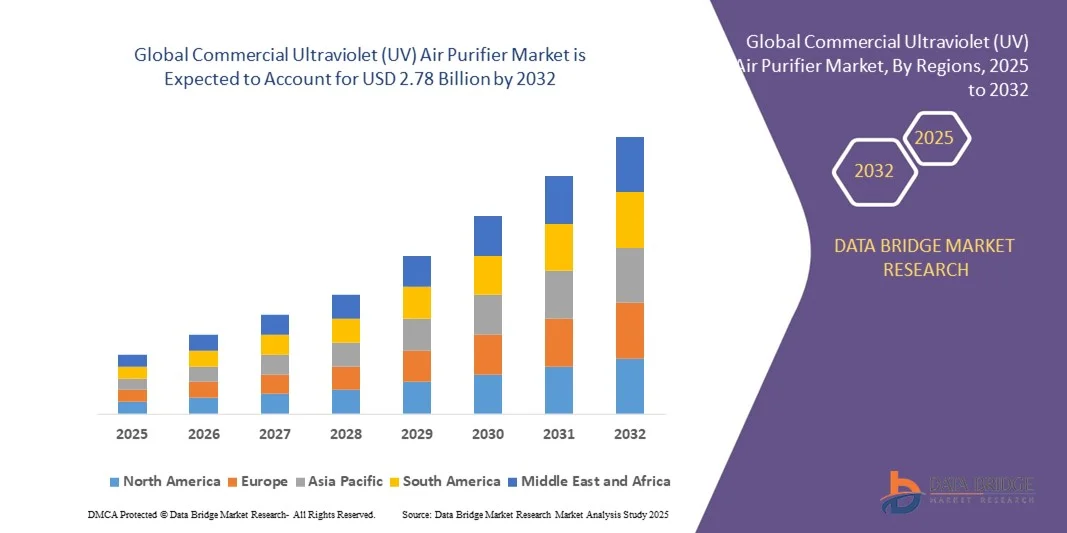
According to the latest report published by Data Bridge Market Research, the Commercial Ultraviolet (UV) Air Purifier Market CAGR Value The global commercial ultraviolet (UV) air purifier market size was valued at USD 1.28 billion in 2024 and is expected to reach USD 2.78 billion by 2032, at a CAGR of 10.10% during the forecast period This Commercial Ultraviolet...
Water Bath Vaporizer Market is supported by growing investments in LNG terminals and gas distribution networks. Water bath vaporizers play a crucial role in converting liquefied gases into usable gaseous form. Increasing industrial demand for clean and efficient energy solutions drives market expansion. Manufacturers continue to enhance product performance and reliability. The...
The global Remote Patient Monitoring Industry is witnessing significant growth as healthcare providers increasingly leverage connected health technologies to monitor patients outside traditional clinical settings. Rising prevalence of chronic diseases, advancements in digital health platforms, and expanding telehealth adoption are further accelerating market development. Business Market...
