

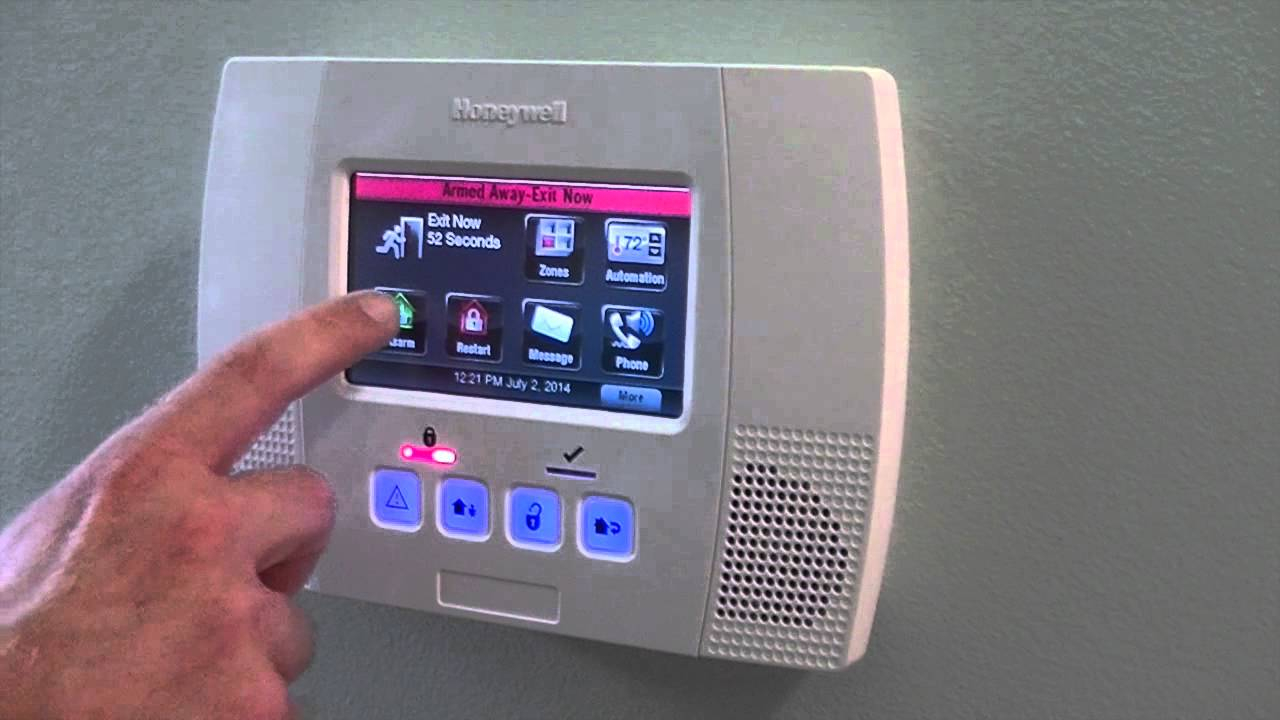

Wireless security systems provide a practical way to monitor properties without installing extensive communication cables. These systems use wireless signals to connect cameras, motion detectors, door sensors, alarms, and control panels. Property owners can manage connected devices through a central panel or supported mobile application.
Wireless technology has made security installation more flexible. Homeowners can add monitoring equipment without major changes to existing walls and building structures. Businesses can also use wireless devices in locations where running cables would create installation challenges.
However, wireless equipment still needs careful planning. Signal strength, power supply, network security, and device placement all affect system performance.
What Are Wireless Security Systems?
Wireless security system installation uses radio signals or wireless network connections to communicate between security devices. Instead of sending every signal through a physical communication cable, connected devices transmit information electronically.
A typical system may include a central control panel, door and window sensors, motion detectors, wireless cameras, and alarm equipment.
When a sensor detects activity, it sends information to the control panel. The system then follows its programmed settings. Depending on the equipment, it may activate an alarm, send a notification, or begin recording video.
Some wireless systems use a local wireless connection, while others depend on Wi Fi or cellular communication. These technologies have different functions, and installers should select them according to the property's requirements.
Main Components of Wireless Security Systems
Wireless security equipment includes several devices that work together.
Wireless Security Cameras
Wireless cameras capture video and transmit footage through supported network connections. Some models provide motion detection, night vision, two way audio, and mobile viewing.
Door and Window Sensors
These sensors detect when a protected door or window opens. They usually consist of two connected parts that communicate when the opening changes position.
Motion Detectors
Motion detectors identify movement within a selected area. They can help monitor rooms, hallways, offices, and other important spaces.
Wireless Alarm Systems
Wireless alarms respond to signals from connected sensors. They can produce audible warnings and may send alerts to connected devices.
Central Control Panels
The control panel manages communication between security devices. It allows users to arm or disarm the system, review alerts, and adjust supported settings.
Benefits of Wireless Security Systems
Wireless systems offer several practical advantages for residential and commercial properties.
Their flexible installation process makes them suitable for existing buildings. Installers can position many devices without running communication cables through walls or ceilings.
Wireless equipment also supports system expansion. Property owners can add compatible sensors or cameras when security needs change.
Another benefit involves remote access. Supported systems allow users to check device status, receive notifications, and manage selected functions through mobile applications.
These systems can also suit rental properties and buildings where permanent construction changes are difficult. However, property owners should confirm device compatibility and installation permissions before making changes.
Wireless Security for Residential Properties
Homeowners can use wireless security systems to monitor important areas and receive information about activity around the house.
A basic residential setup may include sensors on exterior doors, motion detectors in selected indoor spaces, and cameras near entrances. Larger homes may require additional devices to cover garages, driveways, yards, and secondary entrances.
Mobile alerts help homeowners stay informed when they leave the property. They can check system status and review supported camera feeds from authorized devices.
Families should also understand how to arm and disarm the system. Clear instructions help prevent accidental alarms and make daily use easier.
Wireless Security for Commercial Properties
Businesses often need flexible security coverage across several areas. Wireless systems can help monitor offices, reception areas, storage rooms, parking spaces, and employee entrances.
Small businesses may use a combination of wireless cameras and entry sensors. Larger facilities may need multiple control panels, network equipment, and additional monitoring devices.
Commercial users should consider the number of employees, operating hours, entry permissions, and daily activity before choosing equipment.
A well planned setup can also support future changes. For example, a business may add cameras when it expands its office or opens another storage area.
Wireless Versus Wired Security Systems
Wireless and wired systems both offer useful security functions. Their main differences involve installation, communication, power, and maintenance.
Wired systems use physical cables to connect many devices. They can provide consistent communication and may suit new construction or buildings with existing security wiring.
Wireless systems reduce the need for communication cables. They can make installation easier in finished buildings and allow greater flexibility when placing equipment.
However, wireless systems may depend on radio signal strength and battery power. Physical obstacles, interference, and network problems can affect performance.
The best option depends on the property, device requirements, installation conditions, and long term maintenance needs.
Wireless Network Security and Device Protection
Connected security devices need protection against unauthorized access. A weak password or outdated camera application can create unnecessary risks.
Property owners should use strong, unique passwords for security accounts and wireless networks. They should also change default login details when the manufacturer recommends doing so.
Firmware updates help improve device security and correct known software issues. Users should install updates from official manufacturer sources.
Network access should remain limited to authorized users. Businesses should also review account permissions when employees leave or their responsibilities change.
These steps help protect the security system and the information it collects.
Power Supply and Battery Management
Wireless communication does not mean every security device operates without electrical power. Many wireless cameras use power adapters, while some sensors and cameras rely on batteries.
Battery powered sensors require regular checks. A low battery may prevent a device from sending alerts or communicating with the control panel.
Property owners should follow manufacturer recommendations for battery replacement and charging. Some systems provide low battery notifications, which help users respond before a device stops working.
Backup power can also support central equipment during temporary electrical interruptions. The type of backup depends on the system design.
Professional Wireless Security System Installation
Professional installation begins with a review of the property. The installer identifies important entry points, areas that require cameras, and locations where wireless signals may face interference.
The team then selects compatible equipment and checks network coverage. Proper device placement helps maintain communication between sensors, cameras, and the control panel.
After mounting the equipment, installers configure the system and test each component. They also check mobile access, alert settings, battery status, and recording functions.
Homeowners and business owners should receive clear instructions on operating and maintaining the equipment.
Maintaining Wireless Security Equipment
Wireless systems need regular inspection even when they operate automatically. Users should test sensors, check batteries, clean camera lenses, and confirm that all devices remain connected.
Camera firmware and mobile applications should receive available updates. Homeowners should also review connected accounts and remove access for people who no longer need it.
Changes to furniture, walls, network equipment, or building layouts can affect wireless performance. A new inspection may help identify signal problems after major changes.
Conclusion
Wireless security systems provide flexible monitoring options for homes and businesses. Cameras, sensors, alarms, and control panels work together to improve property awareness and access management. Proper installation, reliable network coverage, secure account settings, and regular maintenance help keep the system operating effectively.
Maxed Access is the best company for wireless security systems in Efland, NC, and its surrounding areas. The company provides professional security installation solutions for residential and commercial properties. Contact Maxed Access today to find a wireless security setup that matches your property's requirements.
Frequently Asked Questions
1. How do wireless security systems work?
Wireless security systems use radio signals or network connections to send information between cameras, sensors, alarms, and control panels. The system responds according to its programmed settings.
2. Do wireless security systems need Wi Fi?
Not every wireless system requires Wi Fi. Some devices communicate through dedicated radio frequencies or other wireless technologies. Requirements depend on the equipment.
3. Are wireless security systems suitable for businesses?
Yes. Businesses can use wireless cameras, motion detectors, access sensors, and alarm equipment to monitor offices, storage areas, and other important spaces.
4. Do wireless security cameras need batteries?
Some cameras use rechargeable or replaceable batteries, while others require a continuous power connection. Wireless video transmission does not always mean battery-powered operation.
5. Can I expand my wireless security system later?
Many systems support additional compatible cameras and sensors. Property owners should check device compatibility and control panel capacity before adding equipment.